
Custom Date Offsets in SAP Analytics Cloud

Imagine getting a curveball from a client in your standard SAP Analytics Cloud (SAC) dashboard routine.
Picture this: I’m helping a client with her quarterly report calculations. Normal stuff, right? Like YTD, QTD, QOQ, YOY. Using an import model in SAC, the built-in date functions make this a breeze (usually).
Here’s where things take a twist. After the first draft, my client chimes in: “I need to exclude the current month/quarter”. Sounds simple on the surface, right? Wrong! It’s a bit more complex than it initially seems.
The client is looking for Q1 and Q2 numbers, but we’re in August. So, she wants July and August values out of the equation. Here’s how we tackle this problem. Utilizing built-in ranges like Current Quarter and Previous Quarter, we can isolate (some of) the required data.
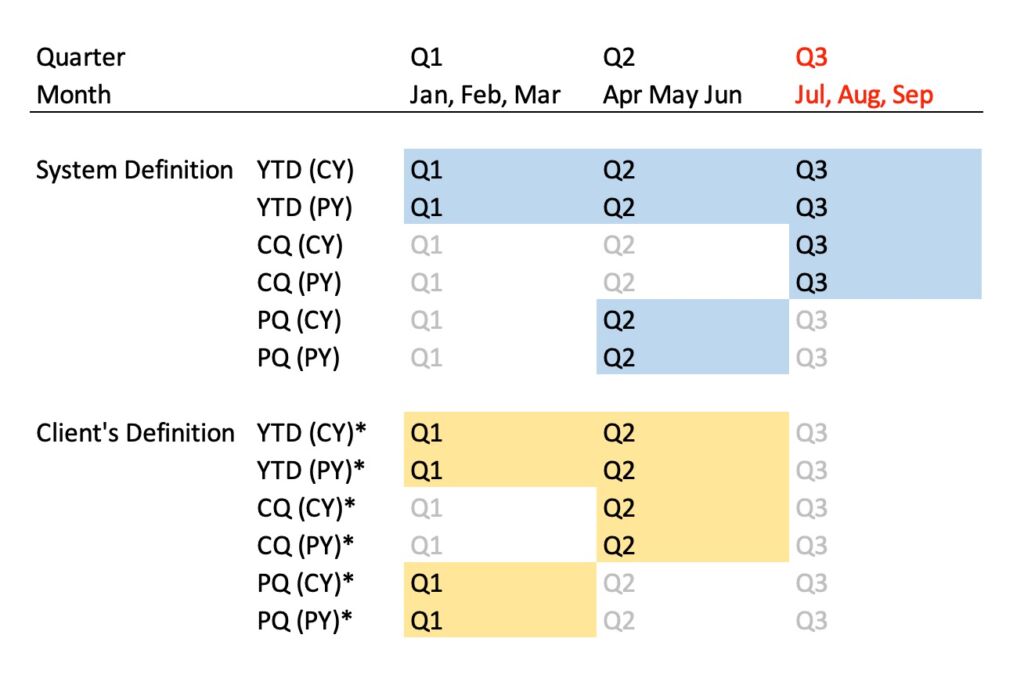
What about YTD metrics misalignment due to different quarterly definitions? Think Jan-Aug values, but my client’s definition required me to cut off July and August from the tabulations – this year and last!
In this client’s scenario, simply subtracting the current quarter from this year’s YTD measure would over-subtract from last year’s measure. Imagine deducting July, August, and September from an August YTD – doesn’t quite add up, does it?
The rescue mission? A triple-threat solution of Custom Date, Granularity, and Offset. Ready to dive into the steps?
Step 1: Overwrite the system date with a custom date.
Here’s where I define the custom date input control, setting the granularity of the selection to be quarterly, and setting the value to be 2023.Q2 (previous quarter in this example)
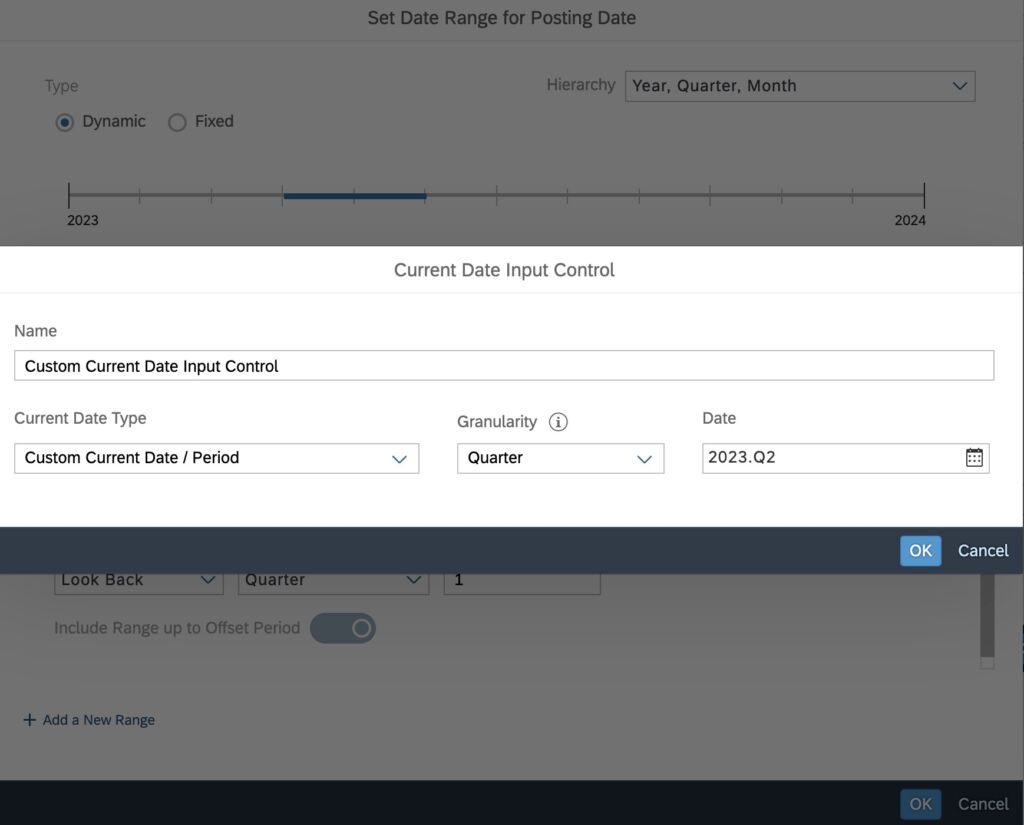
With the custom starting point defined (via the custom date input control), I can create the variances such Current Quarter, Previous Quarter, Year to Date, Prior Year to Date, etc. as you normally do.
Step 2: Define all the variances
This may be obvious, but remember to set the Current Date to your custom starting point.
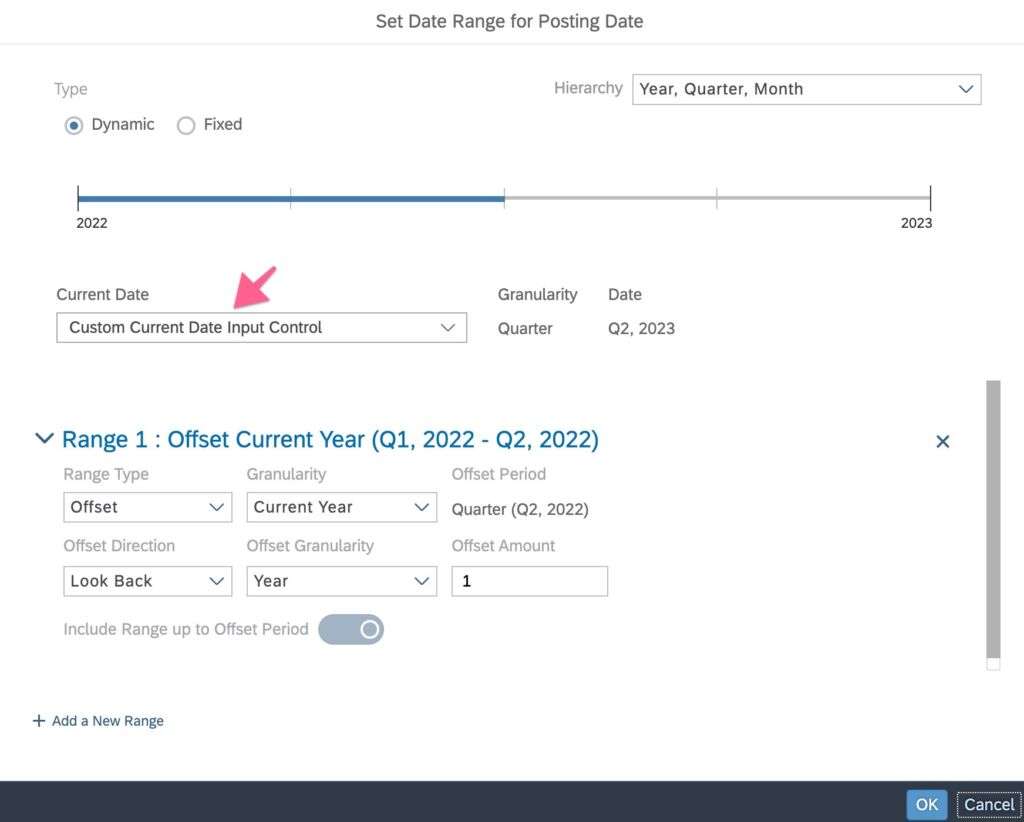
In the screenshot above, I set the starting pointer to my custom date and defined the Prior Year to Date measure (with the 1 year offset).
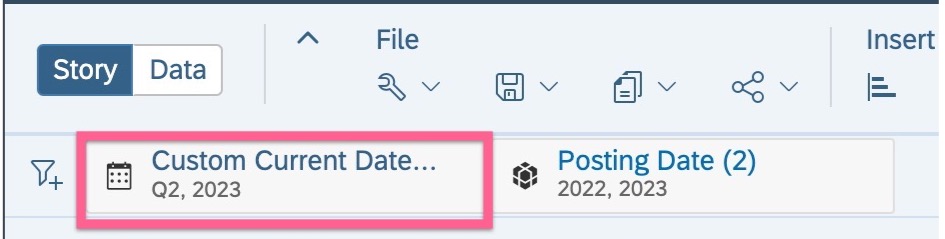
As a bonus, the custom date input control appears as a story filter. Isn’t that neat?
It’s not always easy helping our clients to easily sail in the sea of data analysis. But with the right tools and a bit of creative thinking, we turn client curveballs into home runs. How do you navigate similar challenges?